495,000+
Customers Worldwide
10.8M+
Scans Tracked
250+
Countries Served
17+
Years of Reliable Service
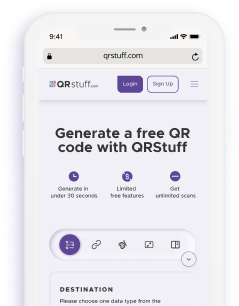
It only takes 4 steps to create a QR code with our online generator, making it one of the fastest and easiest to use.
Major companies are using QRStuff's QR code generator to facilitate their operations, gaining time and productivity in their processes. Discover how our tool helps them connect, share and grow their business.
From Wi-Fi access to PDF downloads, QRStuff supports dozens of code types so you can connect anything to anyone.
QRStuff powers QR code experiences for all types of businesses. Discover how professionals across industries use QR codes to engage audiences
It takes only 4 steps to create a QR code by using QRStuff online QR code generator:
Absolutely! Choose colors, add a logo, and adjust output formats for a personalized look.
No, QRStuff allows you to create QR codes without having to sign up. However, creating an account helps you unlock advanced features such as customization.
Yes. QRStuff has a dashboard solution allowing you to track the performance of your QR code such as scan count, location of scans or even device types.
No, our static QR codes never expire. They are free forever and will work as long as your link is active. However, if you choose Dynamic QR Codes, these require an active subscription because they allow you to edit the destination URL and track scans.
Yes, if you use a Dynamic QR Code. Dynamic codes allow you to update the target URL, PDF, or landing page instantly without re-printing the QR code image. Static codes cannot be edited once created.
We recommend vector formats like SVG, EPS, or PDF for professional printing. Unlike PNG or JPG images, vector formats can be resized to any scale (from a business card to a billboard) without losing quality or becoming blurry.
No. QRStuff offers unlimited scans on all Static QR codes. You can use them for commercial purposes, marketing campaigns, or operations without worrying about scan caps or bandwidth limits.
We prioritize privacy. For Static codes, we do not track scan data or store user information. For Dynamic codes, we provide anonymized scan analytics (location, device type, time) strictly for your performance tracking. We are GDPR and CCPA compliant.
Yes. We support over 25 data types. You can create a WiFi QR code to let guests join a network instantly without typing passwords, or a vCard QR to share contact details directly to a phone's address book.
A QR (Quick Response) code is a two-dimensional barcode that can be scanned using a smartphone camera or QR code reader. It can store various types of information like URLs, text, contact details, WiFi credentials, and more. Created in 1994 by Denso Wave for tracking in the automotive industry, QR codes are now used globally for marketing, payments, authentication, and information sharing.
QR codes work by encoding data into a pattern of black and white squares. When scanned, a QR code reader decodes this pattern back into the original information. The code contains three position markers (corners) for orientation, timing patterns for alignment, and data modules that store the encoded information. Built-in error correction in QR codes allows them to work even when partially damaged or obscured.
QR codes have countless applications: marketing campaigns (posters, flyers, business cards), contactless payments (mobile wallets, cryptocurrency), website/app downloads, WiFi network sharing, product information and authentication, event tickets and check-ins, restaurant menus, inventory and asset tracking, social media profile sharing, email signatures, location navigation, and much more. Any information that needs quick digital access can be encoded into a QR code.
Yes! Static QR codes on QRStuff are completely free to create, download, and use forever with unlimited scans. There are no hidden fees, watermarks, or expiration dates. Dynamic QR codes (which allow editing the destination and tracking scans) require a subscription, but our basic static QR code generator is free for personal and commercial use.
Static QR codes permanently encode data directly into the QR code image. Once created, the content can't be changed, but they never expire and work offline. Dynamic QR codes contain a short redirect URL that points to your content. This lets you edit the destination, track scans, enable/disable codes, and add retargeting pixels without reprinting. Dynamic codes require an active subscription to maintain the redirect service.
The recommended minimum size is 2 x 2 cm (0.8 x 0.8 inches) for close-range scanning. For posters or signage viewed from a distance, use the 10:1 rule: if someone scans from 3 meters away, your QR code should be at least 30 cm wide. Larger codes scan faster and work better in low light or at angles. Always test your QR code at the intended viewing distance before printing large quantities.
No. QRStuff offers unlimited scans on all Static QR codes. You can use them for commercial purposes, marketing campaigns, or operations without worrying about scan caps or bandwidth limits.
QR codes have four error correction levels: L (Low, ~7% damage recovery), M (Medium, ~15%), Q (Quartile, ~25%), and H (High, ~30%). Higher error correction makes codes more resistant to dirt, scratches, or partial coverage (like adding a logo), but increases code density. QRStuff automatically selects the optimal error correction based on your data type and customization, balancing scannability with reliability.
Dynamic QR codes use a short redirect URL instead of encoding content directly. This gives you a web dashboard to edit the destination URL, file, or landing page instantly without reprinting the physical code. You also get real-time scan analytics (location, time, device type, scan count), A/B testing, scheduled URL changes, and retargeting capabilities. Perfect for campaigns, packaging, or any printed material that might need updates.
Always test before printing: (1) Download your QR code in the intended format, (2) Display it at actual print size on a screen or print a test copy, (3) Use multiple smartphones (iPhone and Android) with native camera apps, (4) Test from various distances and angles, (5) Try different lighting conditions, (6) Verify the correct destination loads. For critical deployments, test with QR code scanner apps too, not just built-in cameras. QRStuff's preview feature shows your code exactly as it will appear.
Maximum capacity depends on data type and error correction: up to 7,089 numeric characters, 4,296 alphanumeric characters, 2,953 bytes for binary data, or 1,817 Kanji characters. However, practical limits are much lower for good scannability - aim for under 300 characters. Larger data creates denser, harder-to-scan codes. For large content (documents, videos, long text), use a URL QR code that links to your content rather than embedding it directly.